เพียง 5 นาที เปลี่ยนมาใช้ QSense Gate ระบบ MFA (Multi-Factor Authentication) และการเข้ารหัสที่ทนทานต่อควอนตัม ก็พร้อมใช้งานIn just 5 minutes, switch to QSense Gate — MFA (Multi-Factor Authentication) and quantum-resistant encryption are ready to go
ยืนยันตัวตนก่อนคำขอจะถึงระบบจริง กำหนดการป้องกันเฉพาะหน้า Admin, Critical Path หรือทั้งเว็บไซต์ พร้อมรองรับ TOTP และ PasskeyVerify identity before requests reach the real system. Protect the Admin page, a critical path, or the whole site, with TOTP and Passkey.
ช่วยรับมือความเสี่ยงของเว็บแอปพลิเคชัน เช่น SQL Injection, XSS, Bot Traffic, การเรียกใช้งานถี่ผิดปกติ และการเข้าถึงจากพื้นที่ที่ไม่ต้องการHandles web-app risks such as SQL Injection, XSS, bot traffic, abnormal request rates, and access from unwanted regions.
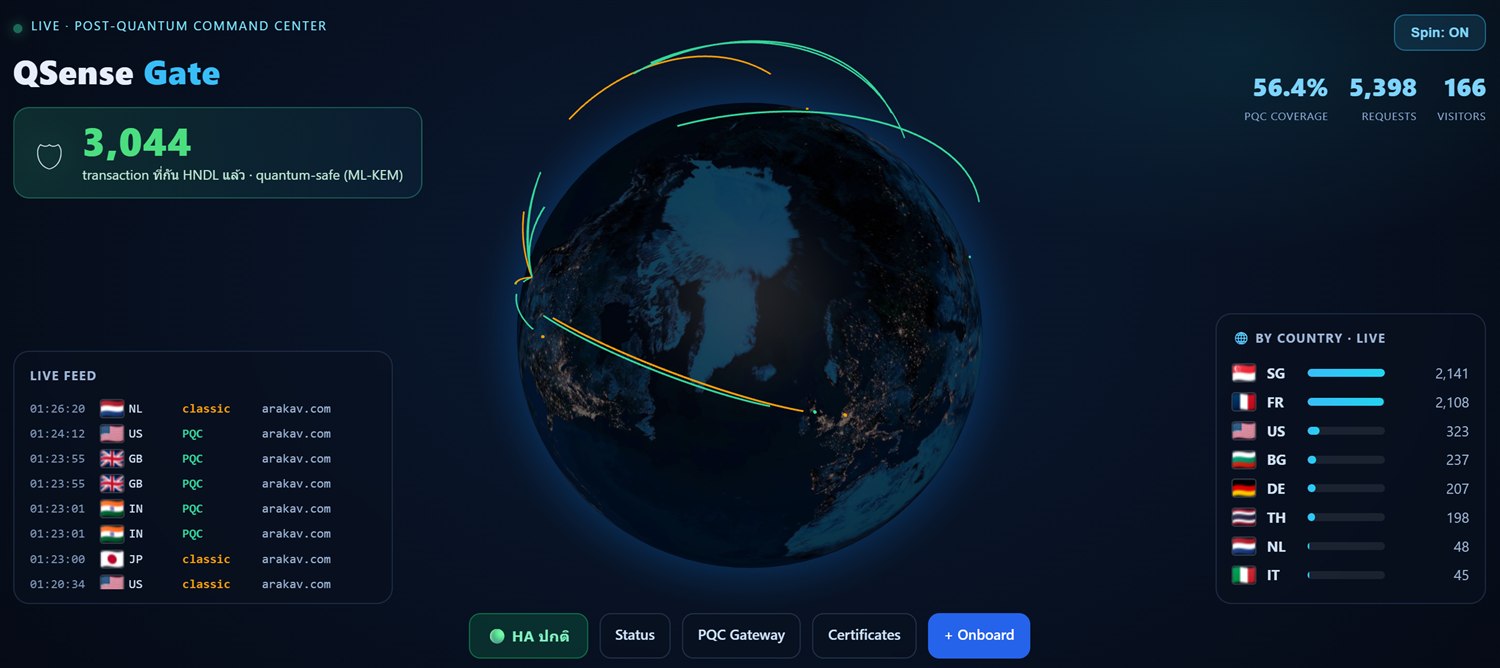
ใช้การแลกเปลี่ยนกุญแจแบบ Hybrid ML-KEM เพื่อลดความเสี่ยง Harvest Now, Decrypt Later (HNDL) โดยยังคงความเข้ากันได้กับโครงสร้าง TLS ปัจจุบันUses Hybrid ML-KEM key exchange to cut Harvest-Now-Decrypt-Later (HNDL) risk while staying compatible with your current TLS.
เพิ่มชั้นยืนยันตัวตน (MFA) ให้หน้าหลังบ้านหรือทั้งเว็บไซต์ของคุณที่ตัว Gate โดยเลือกได้ว่า path ใดต้องยืนยันตัวตน (เช่น /wp-admin) ระบบเดิมของคุณ (เช่น WordPress) ไม่ต้องแก้ไขใด ๆ รองรับ Authenticator (TOTP) และ Passkey · ป้องกันฟิชชิง ไม่มีรหัสให้พิมพ์ผิดAdd a multi-factor gate in front of your admin area or whole site, right at the Gate. Just choose which paths require verification (e.g. /wp-admin); your existing stack (WordPress, etc.) needs no changes. Supports Authenticator (TOTP) and Passkey · phishing-resistant, nothing to mistype.
กำหนดหน้าที่ต้องยืนยันตัวตน เช่น หน้าเข้าสู่ระบบสำคัญอย่าง /wp-admin หรือ /wp-login.php หน้าบริหารจัดการระบบงานสำคัญ หรือกำหนดให้ครอบคลุมทั้งเว็บไซต์Choose which pages need verification: important login pages such as a CMS admin (e.g. /wp-admin, /wp-login.php) or critical back-office systems; or protect the whole site.
Gate แสดงหน้ายืนยัน · Authenticator (TOTP) หรือ PasskeyThe Gate shows a verification page · Authenticator (TOTP) or Passkey
ยืนยันผ่าน → Gate ออก session แล้วส่งไป origin ที่ไม่ถูกแก้ไขOn success the Gate issues a session and forwards to the untouched origin
Multi-Factor Authentication คือการยืนยันตัวตนด้วยปัจจัยตั้งแต่ 2 อย่างจากคนละประเภท ก่อนเข้าระบบ แทนการใช้รหัสผ่านอย่างเดียว (ใช้อย่างน้อย 2 ปัจจัย)Multi-Factor Authentication: prove your identity with two or more factors of different kinds before entering, instead of a password alone (at least two factors).
MFAwall = รหัสผ่านเดิมของเว็บ (สิ่งที่รู้) + Authenticator/Passkey ที่ Gate (สิ่งที่มี)MFAwall = your site's existing password (know) + Authenticator/Passkey at the Gate (have)
ป้องกันตามมาตรฐาน OWASP: SQLi/XSS, บอทไม่พึงประสงค์ (bad-bot), จำกัดอัตราการเรียก (rate-limit), ปกป้อง path สำคัญ, จำกัด HTTP method และบล็อกตามประเทศ (GeoIP) · ทำงานร่วมกับ MFAwall และ PQC ที่ตัว GateOWASP-based protection: SQLi/XSS, bad bots, rate limiting, sensitive paths, HTTP methods, and country blocking (GeoIP) · works alongside MFAwall and PQC at the Gate
ผู้โจมตี/รัฐบางประเทศ เก็บ traffic ที่เข้ารหัสไว้แล้ววันนี้ รอวันที่ควอนตัมคอมพิวเตอร์ทำลาย RSA/ECDHE ได้ แล้วย้อนกลับมาถอดรหัสข้อมูลลับของคุณ ดังนั้นข้อมูลที่ส่งวันนี้จึงต้องป้องกันตั้งแต่ตอนนี้Attackers and certain nation-states are recording encrypted traffic today, waiting for quantum computers to break RSA/ECDHE, then coming back to decrypt your secrets. Data sent today must be protected today.
QSense ใช้ hybrid ML-KEM (มาตรฐาน NIST) ทำให้กุญแจ session ถอดย้อนหลังไม่ได้แม้มีควอนตัมQSense uses hybrid ML-KEM (a NIST standard) so session keys cannot be decrypted retroactively — even with a quantum computer.